
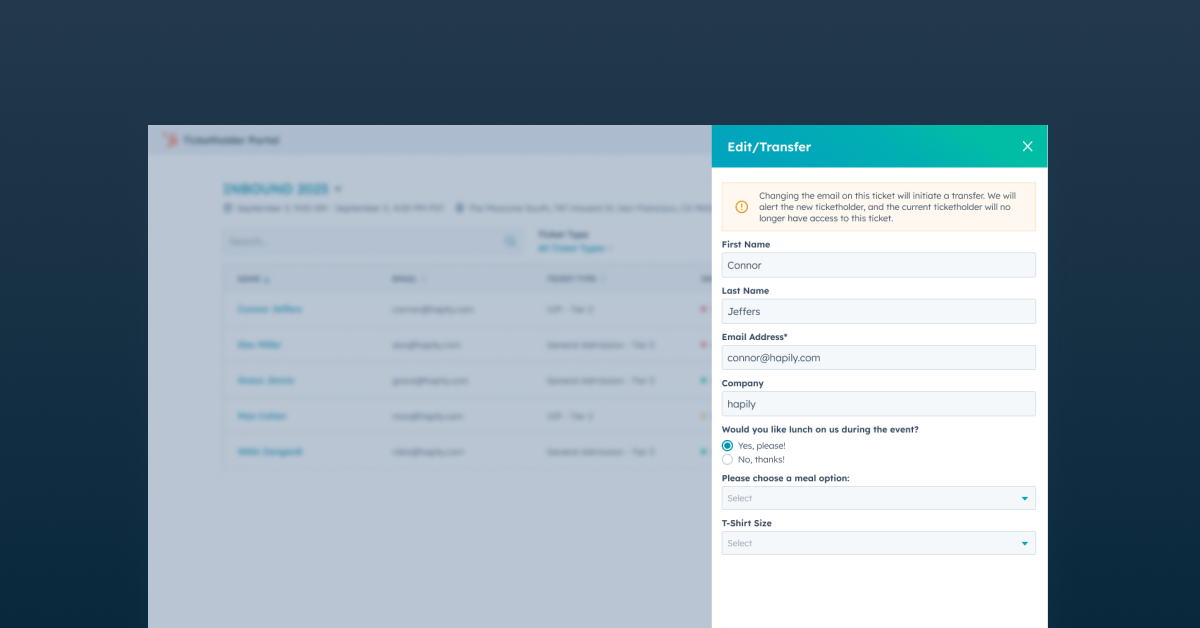
Most event registration experiences stop the second someone checks out.
But anyone running events knows that’s usually when the real attendee management begins.
Someone needs to transfer a ticket to a teammate. A registrant entered the wrong information. An attendee can’t find their confirmation email while standing outside the venue. Someone registered their entire team and now needs to assign tickets later.
And suddenly your event team becomes customer support.
That’s exactly why we built a self-serve Attendee Portal.
As part of hapily’s Advanced Registration experience, the Attendee Portal gives attendees a dedicated place to manage their registrations after purchase on their own — while keeping everything connected back to HubSpot.
If you don't feel like reading, Max breaks it all down in this video below 👇
Give Attendees a Place to Manage Their Registration on Their Own
The Attendee Portal gives registrants a single place to:
- manage registrations
- update attendee information
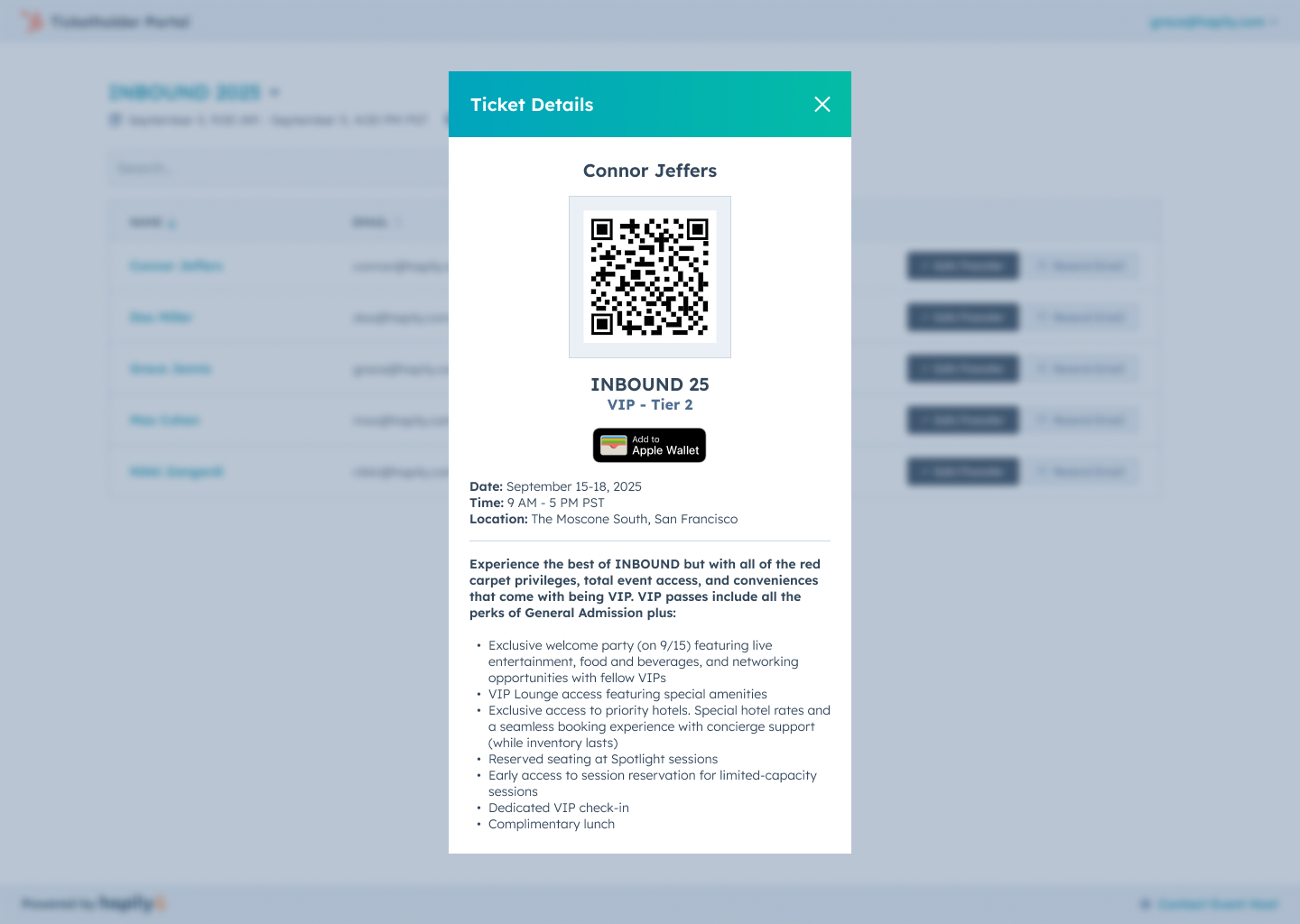
- access QR codes
- transfer passes
- revisit registrations across multiple events
Instead of digging through inboxes or reaching out to event organizers every time something changes, attendees can manage their registration experience themselves.
And because the portal works beautifully across desktop and mobile, attendees can pull up their registration whenever they need them — whether they registered three months ago or three minutes before check-in.
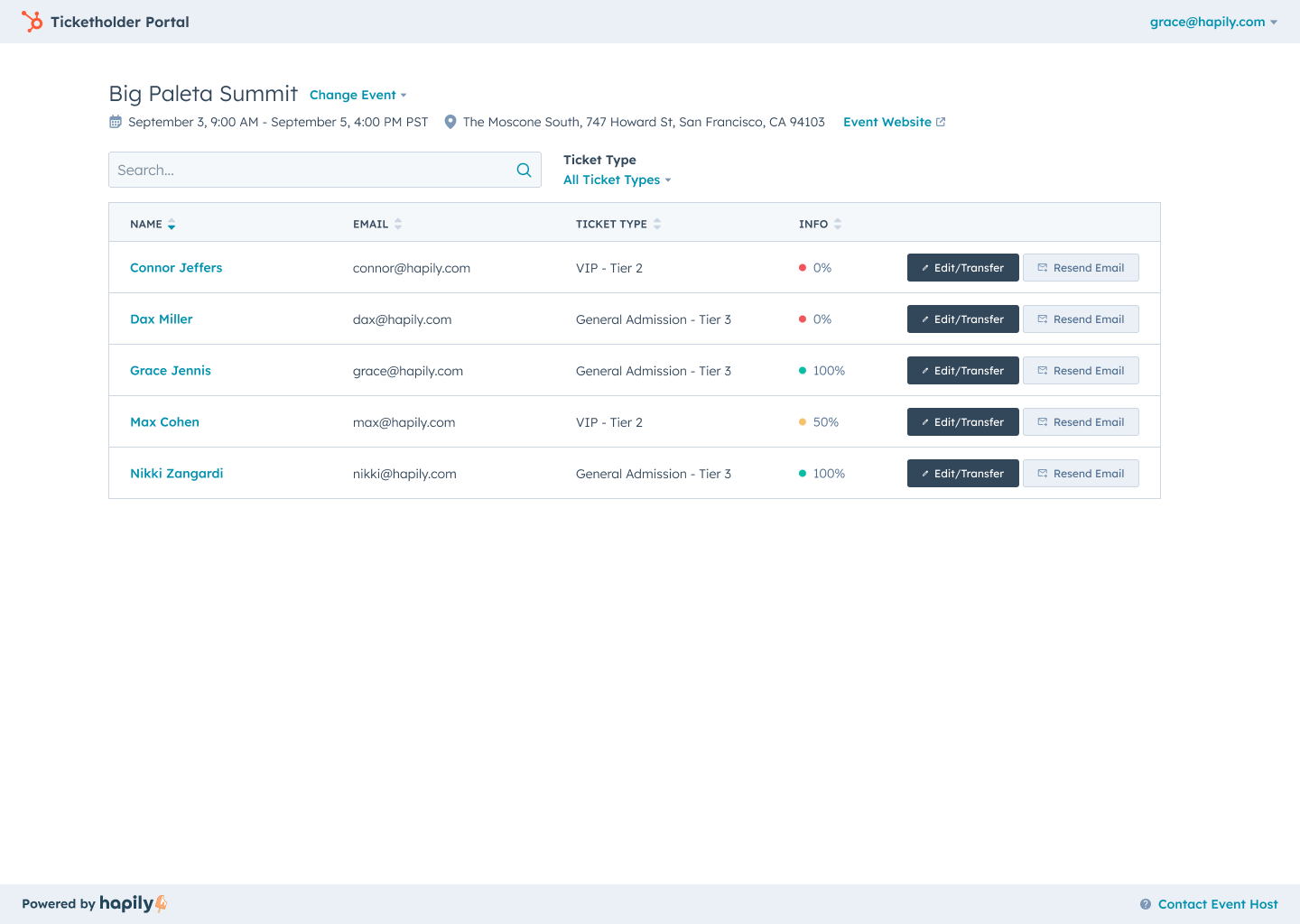
Ticket Transfers That Don’t Create More Work
Registration transfers are one of those things every event team deals with — especially for B2B events where attendees shift constantly leading up to the event.
A teammate can’t make it anymore. A sponsor swaps booth staff. Someone bought multiple passes before confirming who was attending.
The Attendee Portal makes those updates simple.
Attendees can transfer registrations directly from the portal by updating the assigned email address, and the new attendee automatically receives the updated information.
And for teams that want tighter control, hapily allows organizers to determine which registration types can — or can’t — be transferred.
That means fewer manual requests, fewer support emails, and far less operational cleanup leading up to the event.
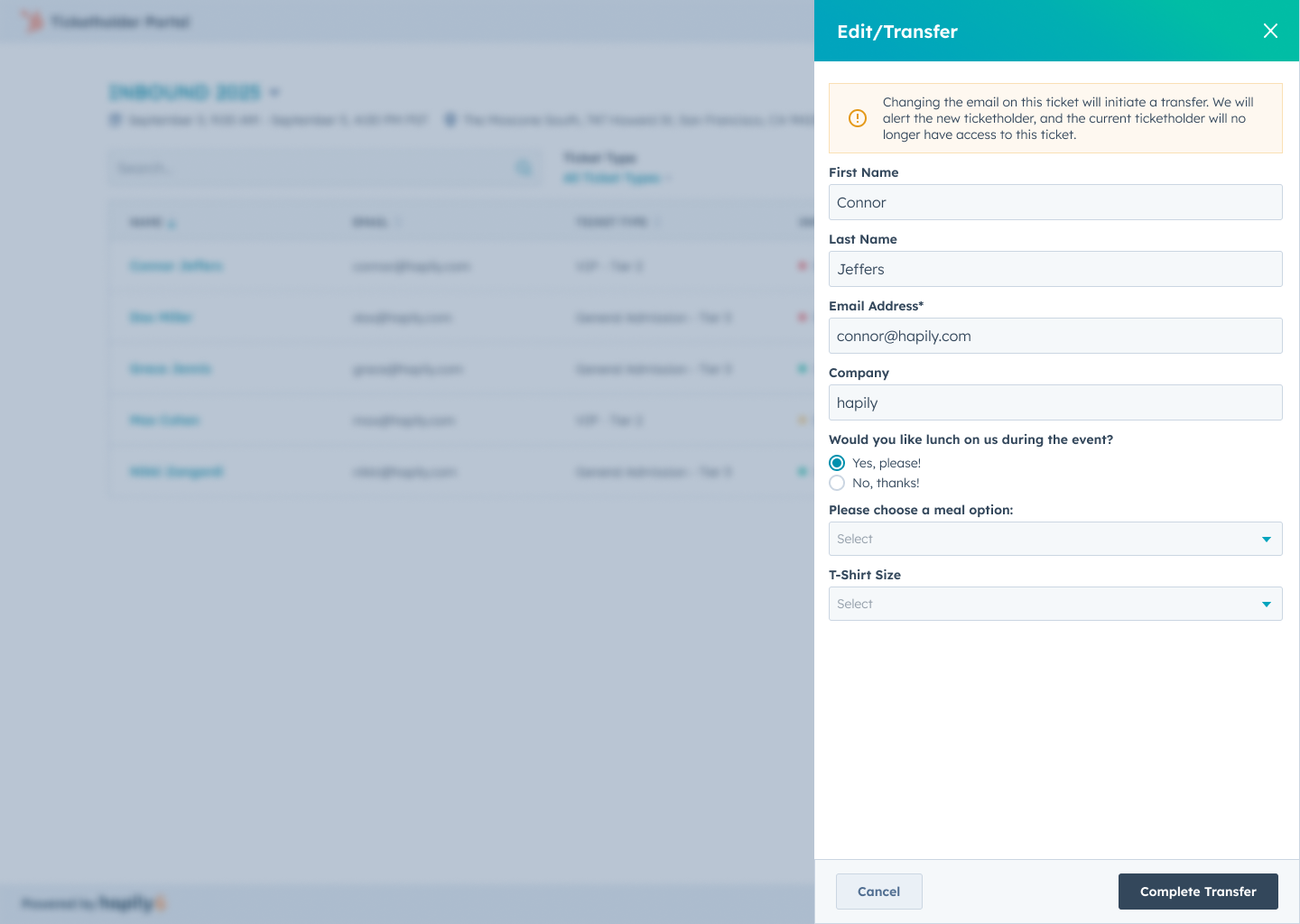
Keep Registration Information Up to Date Automatically
Attendee information changes all the time.
Job titles get updated. Registrations get reassigned. Contact details change. Additional attendee information gets filled in later.
The Attendee Portal lets attendees update their registration information directly, and those updates sync back to the registrant records inside HubSpot automatically.
Instead of chasing down spreadsheets or manually updating records after the fact, your registration data stays current where your team already works.
That means cleaner attendee data, better follow-up, and a much clearer picture of who’s actually showing up to your events.
Make Check-In Easier for Everyone
When attendees arrive onsite, the last thing anyone wants is a long line caused by missing confirmation emails or hard-to-find passes.
The Attendee Portal gives attendees instant access to their QR codes directly from mobile or desktop.
That means attendees can:
- pull up passes instantly
- access registration details quickly
- scan into the event from their phone
- move through check-in faster
For event teams, it creates a smoother onsite experience without requiring attendees to jump through hoops to find what they need.
One Place for Every Registration
The Attendee Portal isn’t limited to a single event.
If an attendee registers for multiple events with your organization, they can view and manage all of their registrations from the same portal experience.
That creates a much cleaner experience for:
- customer events
- recurring conferences
- workshop series
- training programs
- multi-event sponsorships
Instead of treating every registration like an isolated transaction, the Attendee Portal gives attendees a more connected experience across your events.
Better Events Start With Better Self-Service Experiences
The best registration experiences don’t create more manual work after someone checks out.
They give attendees a place to manage their own registrations, update information, transfer registrations, and access event details without relying on event teams to handle every change behind the scenes.
That’s exactly where the Attendee Portal fits into hapily’s Advanced Registration experience.
Registration Types help structure access. Registration Flows shape the attendee journey. The Attendee Portal extends the experience after checkout — giving attendees more control while helping teams spend less time managing registration logistics manually.
Prepping for your next event? Request a demo to see how hapily can help your team capture better data, deliver a seamless attendee experience, and turn interactions into stronger pipeline.

.png)