
.png)
There was a time when event registration was pretty straightforward.
One form. One attendee path. One confirmation email. Done.
But registration tends to get messy pretty quickly once events become more layered. A VIP attendee may need different questions than a sponsor. A team manager may be registering multiple people at once. Someone purchasing tickets may not even be attending the event themselves.
And suddenly, what started as “just a registration form” turns into multiple forms, payment links, spreadsheets, workarounds, and operational cleanup behind the scenes.
Registration shouldn’t force your event into a rigid structure. It should adapt to the way your event actually runs.
And that’s where Registration Flows come in.
As part of our Advanced Registration launch series, Registration Flows are designed to power the actual attendee journey — turning complex event registration into a flexible, CRM-connected experience that works the way modern events actually operate.
Because once your Registration Types define access, Registration Flows define the journey.
If you don't feel like reading, Max breaks it all down in this video below 👇
One Event Doesn’t Mean One Registration Path
Not every attendee should move through registration the same way.
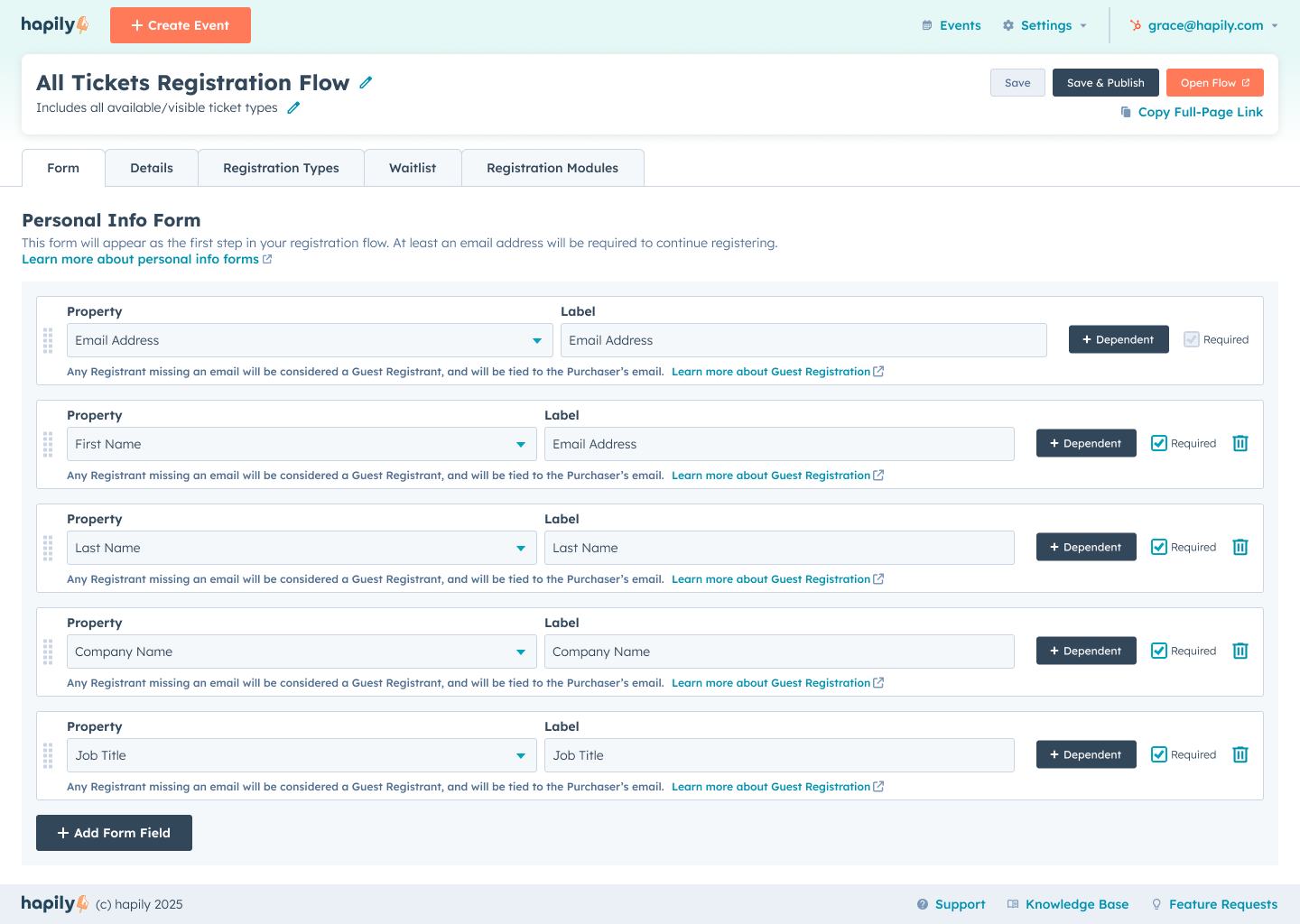
A VIP attendee probably needs a different experience than a general admission guest. Sponsors may need additional company details. Premium ticket holders may need meal selections, session preferences, or custom onboarding questions.
Registration Flows make it possible to create registration journeys that adapt based on the ticket type itself.
That means you can:
- Ask different questions for different registrations
- Collect attendee-specific information
- Create progressive registration experiences
- Tailor flows around the type of access someone purchased
- Keep registration clean instead of dumping everything into one giant form
Instead of building confusing workarounds with multiple forms and disconnected systems, teams can create structured registration paths that guide attendees through exactly what they need — and nothing they don’t.
The result is a smoother attendee experience, cleaner data inside HubSpot, and a registration process that actually reflects the structure of your event.
Registration That Adapts to the Way People Actually Attend Events
One of the biggest problems with traditional event registration tools is that they assume the person buying the ticket is also the person attending the event.
That’s not always the case. Events constantly involve:
- managers registering teams
- sponsors coordinating attendees
- assistants handling registrations
- companies purchasing multiple passes at once
And most registration systems turn that into a mess.
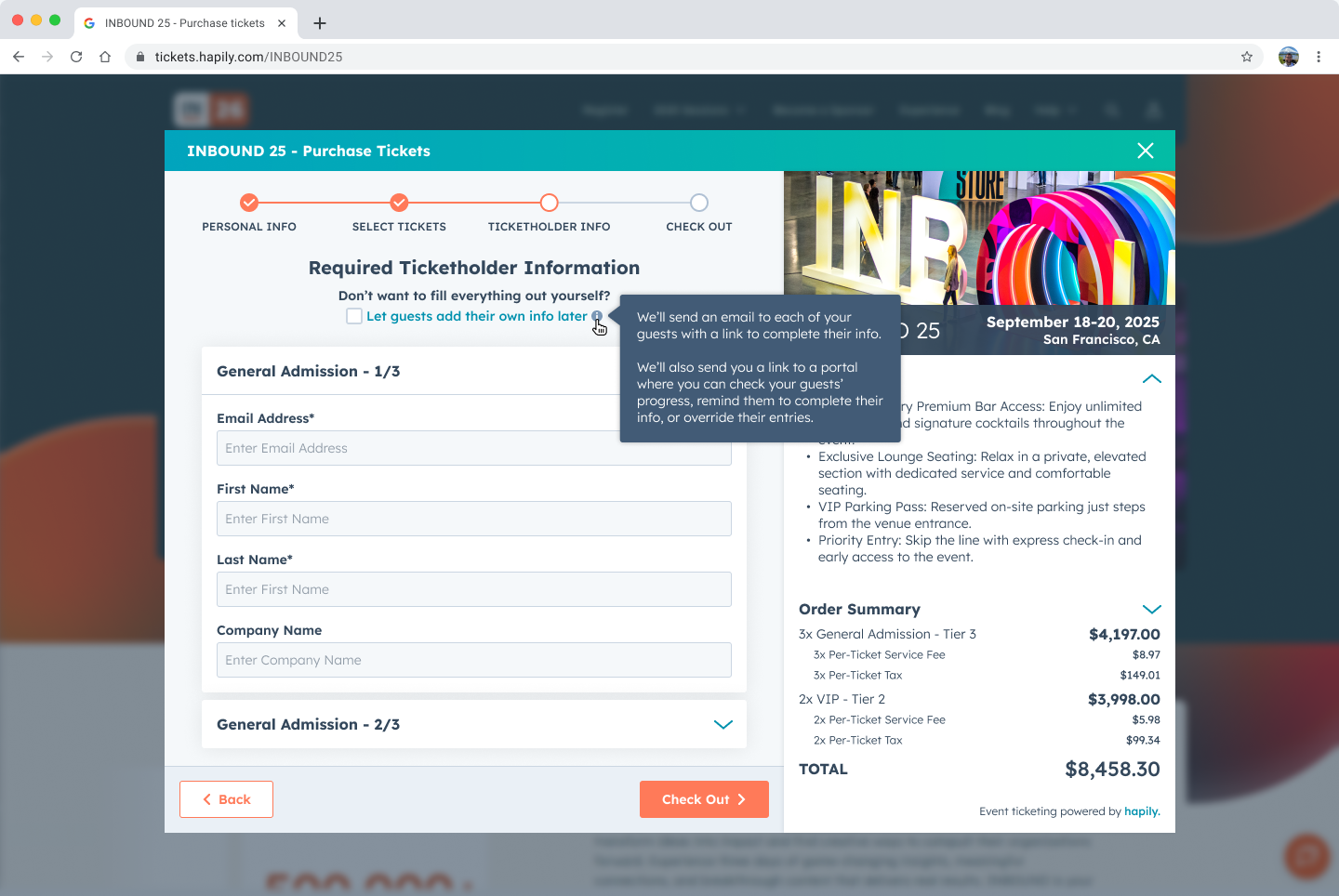
Registration Flows separate the ticket purchaser from the actual registrants, making it easy to collect the right information for both without forcing everyone through the same rigid experience.
That means someone can:
- purchase tickets for their team
- assign attendees later
- register multiple people at once
- transfer tickets after purchase
- manage registrations without breaking the attendee experience
Rather than forcing every event into a one-person-one-form workflow, Registration Flows adapt to the reality of how events are actually organized.
Put Registration Wherever It Makes the Most Sense
Events don’t always drive people to a single registration page anymore.
Sometimes registration needs to be:
- embedded directly into a landing page
- launched from a CTA button
- added to a sponsor microsite
- surfaced in a homepage carousel
- shared as a standalone registration experience
Registration Flows give teams flexibility in how and where attendees actually register without disconnecting the experience from HubSpot.
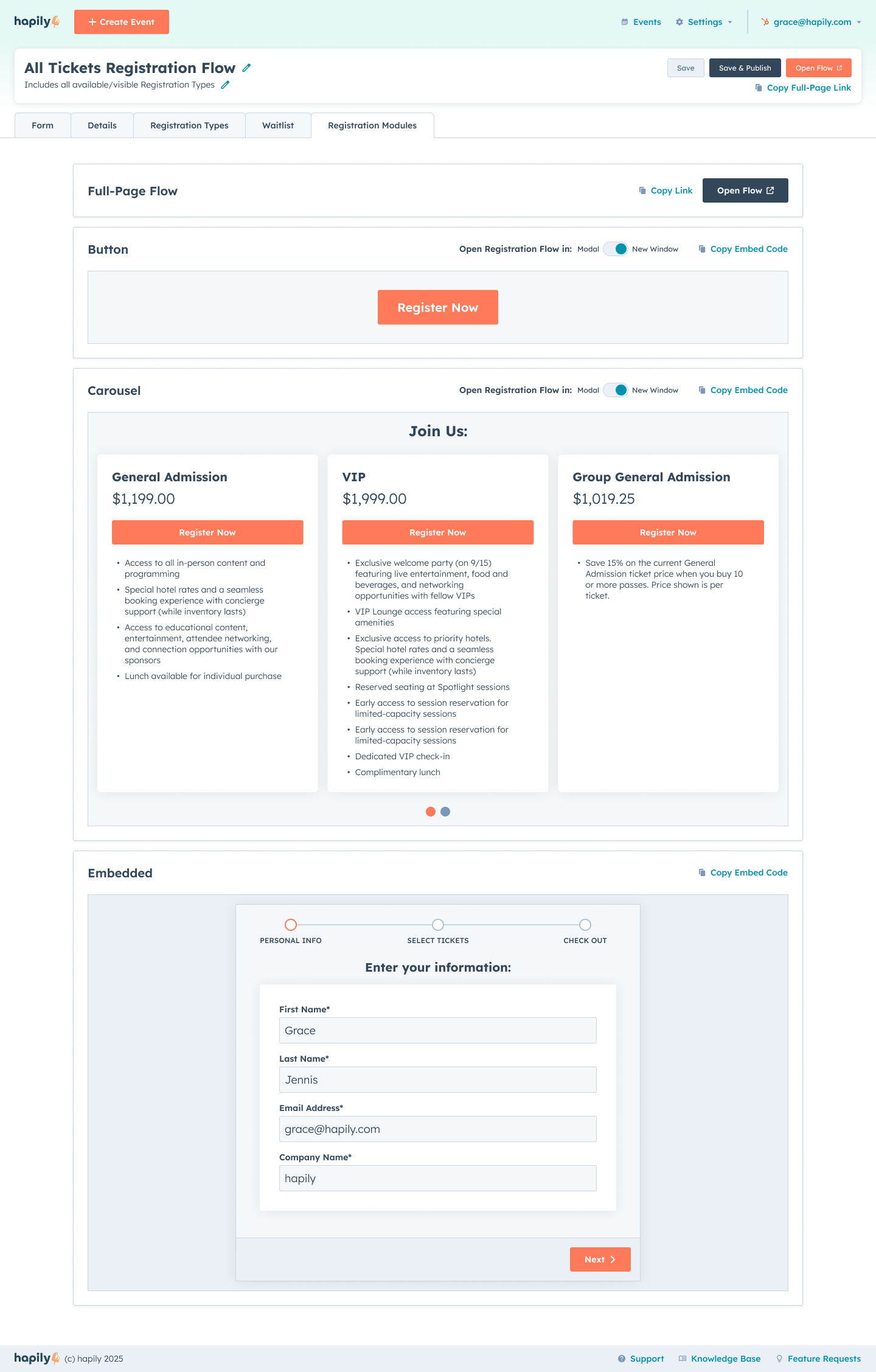
Embedded Registration
Drop registration directly into your landing pages so the experience feels fully connected to your event site.
Modal Registration
Launch registration from buttons or CTAs without forcing attendees onto a separate page.
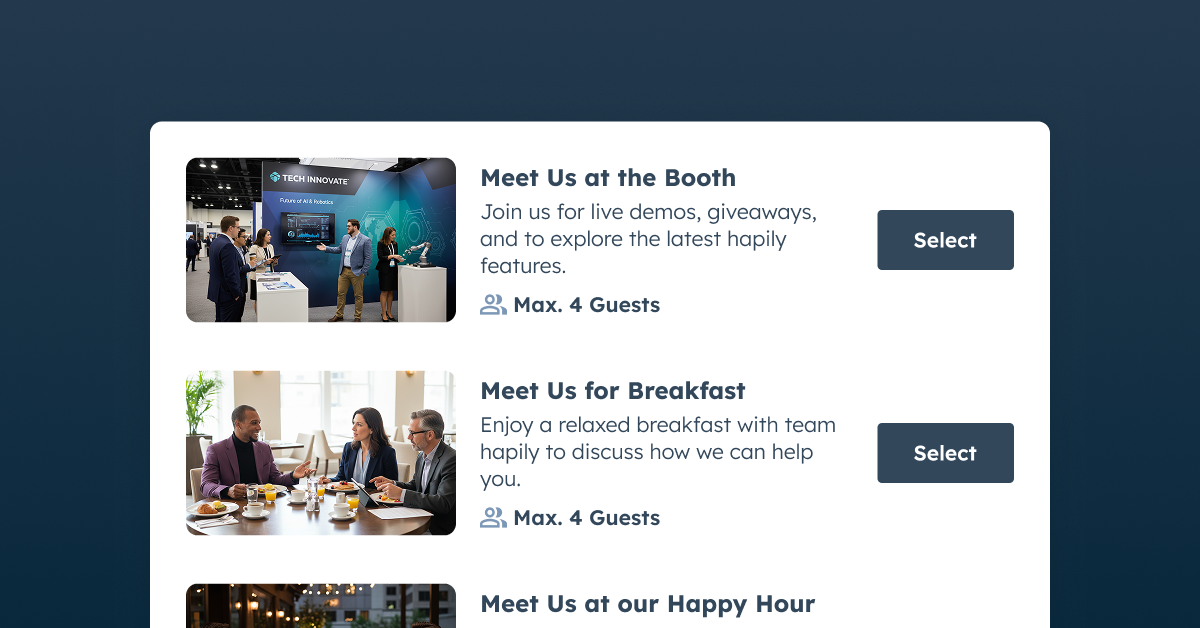
Carousel Registration
Create more interactive registration experiences that showcase multiple ticket options, event experiences, or registration paths.
Standalone Registration Pages
Share a complete fullscreen registration experience anywhere you need it.
No matter where registration happens, attendee activity, ticket data, registrants, and follow-up stay connected back to HubSpot from the start.
Waitlists and Capacity Shouldn’t Be Manual
Sold out doesn’t always mean interest disappears.
But for a lot of teams, waitlisting still happens through spreadsheets, inboxes, or disconnected forms that create even more operational overhead.
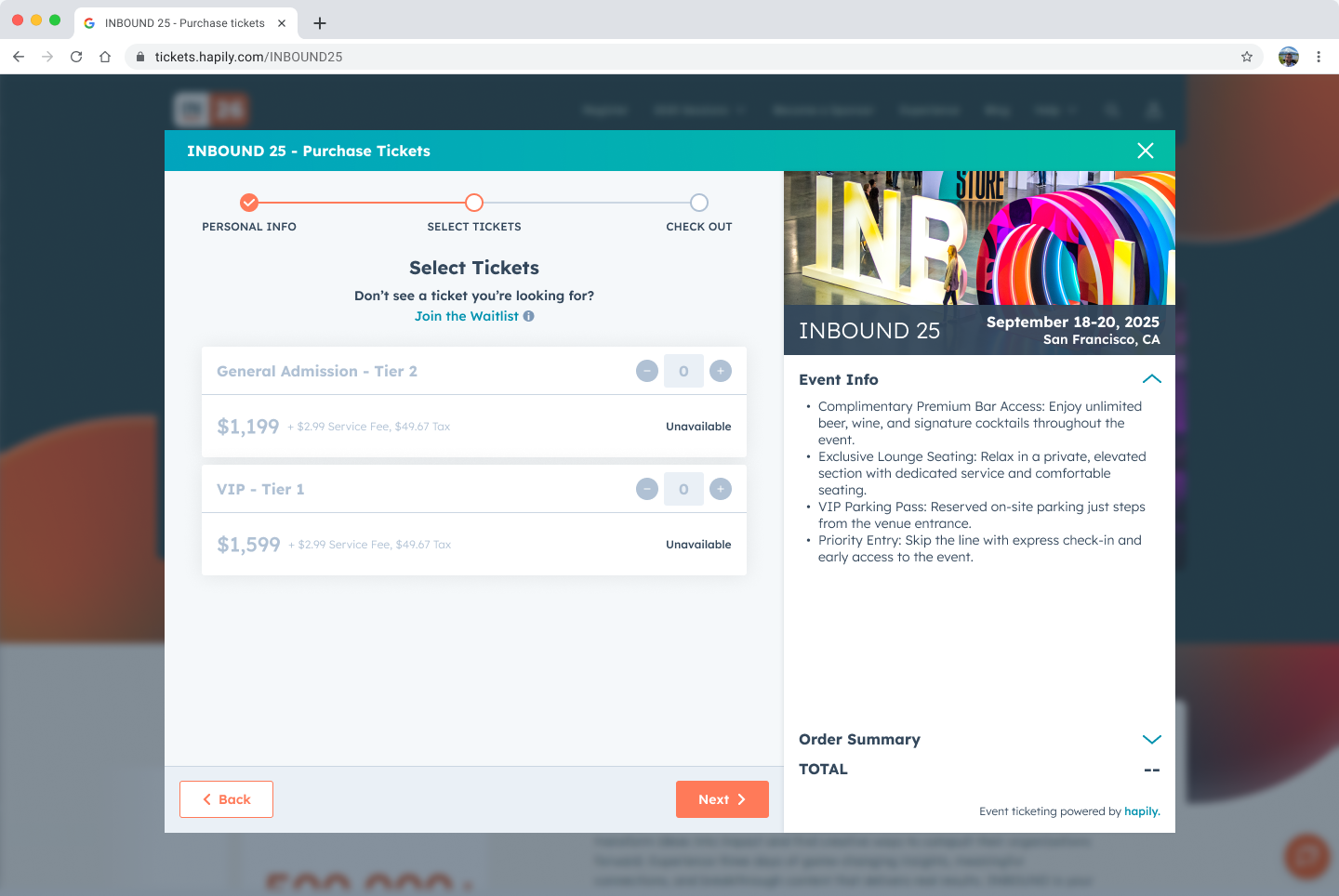
Registration Flows include built-in waitlisting directly within the registration experience itself.
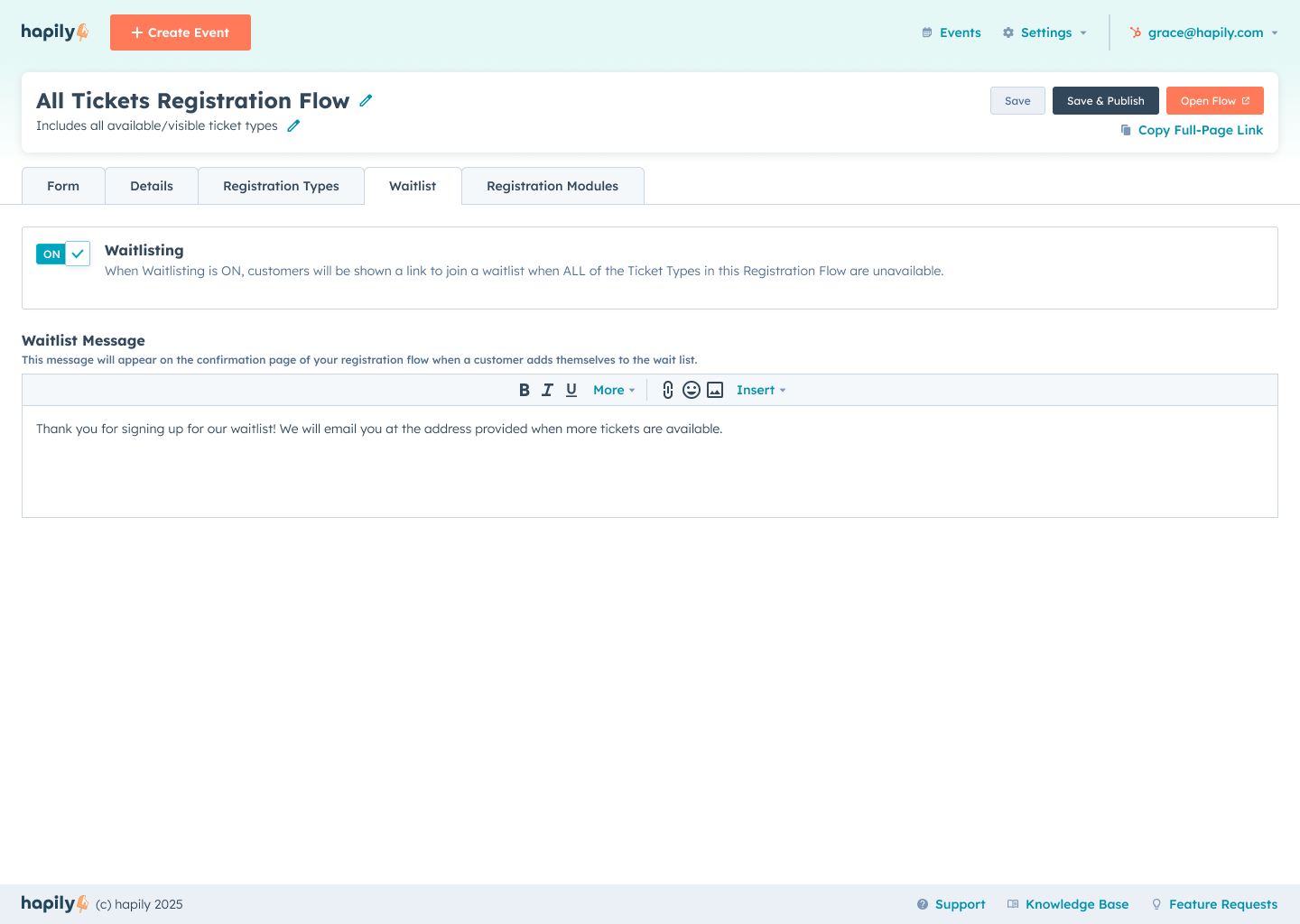
That means when tickets hit capacity, attendees can still express interest and be added to a structured waitlist tied directly to the event inside HubSpot.
Instead of losing potential attendees — or manually managing overflow demand — teams can keep visibility into registration interest while maintaining a cleaner attendee experience.
Checkout That Feels Like an Actual Registration Experience
Too many event registration setups feel patched together — one form here, a payment link there, and a lot of manual cleanup afterward.
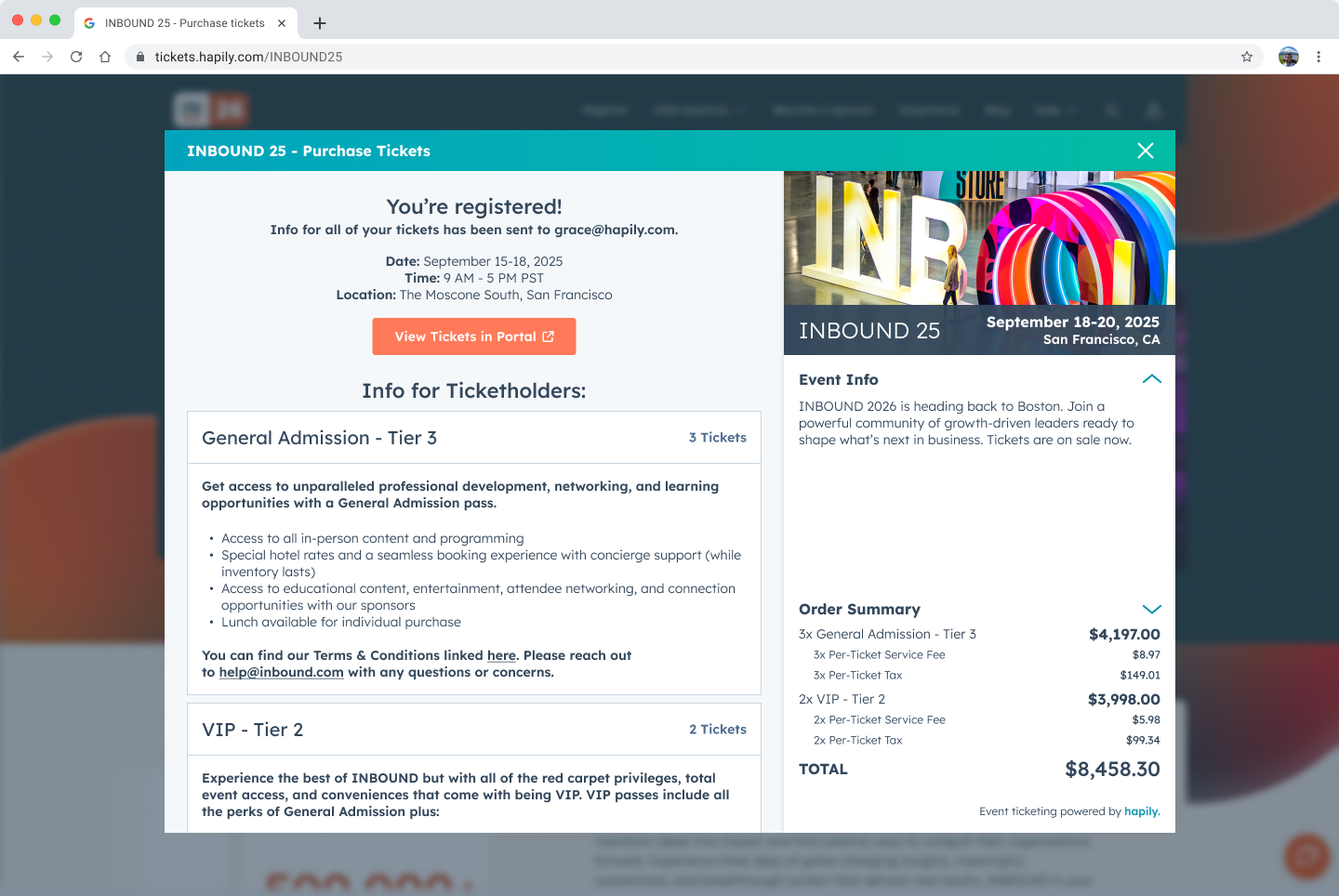
Registration Flows bring everything into one registration and checkout experience, so attendees can:
- purchase multiple ticket types in one transaction
- review registrations before checkout
- submit attendee information during registration
- assign or transfer tickets later if needed
As attendees move through registration, order details and ticket information build in real time, giving people a clearer picture of what they’re registering for before they complete checkout.
Payments are securely powered by Stripe, while registration activity, ticket purchases, and registrant information stay connected back to HubSpot.
The result is a registration experience that feels cleaner for attendees and easier for teams to manage behind the scenes.
Registration That Lives With Your CRM Data — Not Beside It
Registration shouldn’t create another disconnected attendee list your team has to sort through after the event.
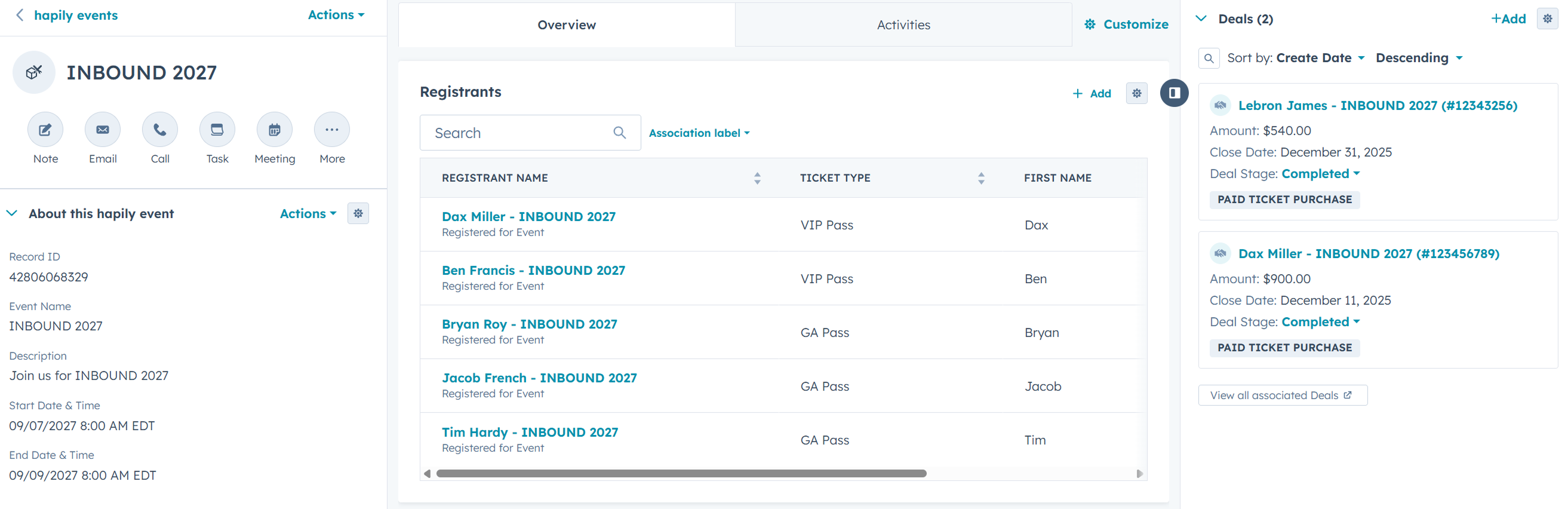
Every registration flow is tied directly to HubSpot, so registrants, ticket activity, attendee information, and event engagement stay connected from the start.
That means your team can:
- see who registered and what they registered for
- associate attendees back to the event automatically
- manage registrants directly inside HubSpot
- trigger follow-up and workflows faster
- report on attendance and ticket activity without exporting data
If someone already exists in HubSpot, hapily can automatically match them to an existing contact record during registration, helping reduce duplicates and cleanup later on.
Instead of spending time reconciling attendee spreadsheets after the event, your registration data is already where your team works.
Registration Is More Than a Form Now
Event registration has evolved far beyond collecting names and email addresses.
It shapes:
- the attendee experience
- operational efficiency
- data quality
- follow-up speed
- reporting visibility
- pipeline attribution
And the more sophisticated events become, the more important it is to have registration infrastructure that can actually support that complexity without creating friction for attendees or extra work for your team.
Registration Types define access.
Registration Flows define the journey.
And together, they create a registration experience that’s flexible enough for modern events while keeping everything connected back to HubSpot from start to finish.
Prepping for your next event? Request a demo to see how hapily can help your team capture better data, deliver a seamless attendee experience, and turn interactions into stronger pipeline.

.png)