
.jpg)
We recently announced some exciting new updates to Mobile Lead Capture aimed at making it easier to capture and act on leads in the moment.
There’s a lot in there, so we’re breaking out a few of the updates and digging into them more deeply. This one focuses on error handling and the admin lead management experience — what happens when a lead doesn’t go exactly as planned, and how you handle it from there.
Because when your team is on-site, things move fast. Badges get scanned, conversations happen, and data gets captured in real time. But not every lead comes through perfectly.
- A badge scan misses a field
- An image isn’t usable
- Enrichment doesn’t return a result
Before, those situations weren’t always obvious until the end of the process. You’d capture the lead, send it through enrichment, and only then find out something went wrong.
Now, that entire flow has been reworked. Here's what that means for you.
Issues are caught earlier and handled more intentionally
The biggest shift here is when and how problems are surfaced.
Instead of letting incomplete or invalid data move forward, the app now stops issues at the point where they happen and makes them clear immediately:
- A bad image is flagged before enrichment even runs
- A partially readable badge prompts you to fill in missing fields on the spot
- A lead that can’t be enriched is identified right away
This reduces wasted time during capture and removes ambiguity from the process. Reps can correct issues immediately, and admins aren’t left figuring out what went wrong after the event.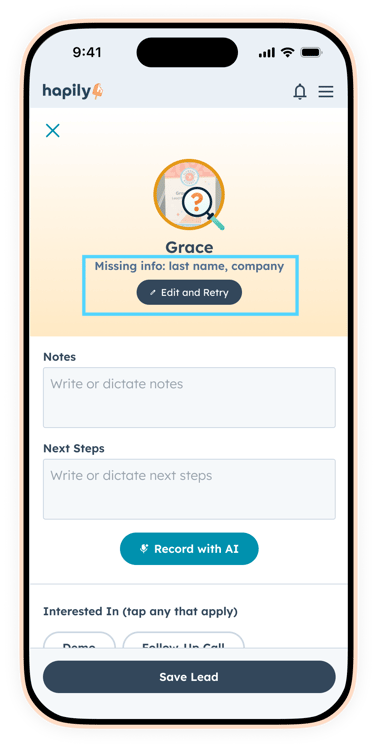
Your CRM stays clean without losing any leads
One of the most important decisions in this update is what happens when enrichment doesn’t return enough information.
If a lead can’t be enriched with key data — especially an email address — it is not pushed into HubSpot. It keeps incomplete or low-quality records out of your CRM, which avoids a lot of downstream cleanup and reporting issues.
The good news is those leads are not discarded, instead, they’re held in a dedicated “not found” or “enrichment failed” state, where they remain fully accessible.
So instead of choosing between clean data and full visibility, you now have both.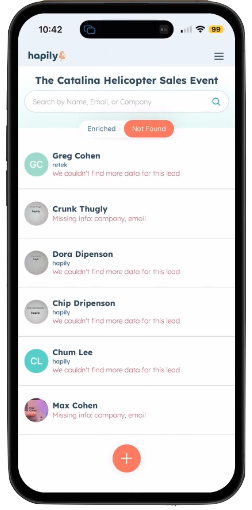
A complete view of event data (not just what synced)
This is where the experience really shifts.
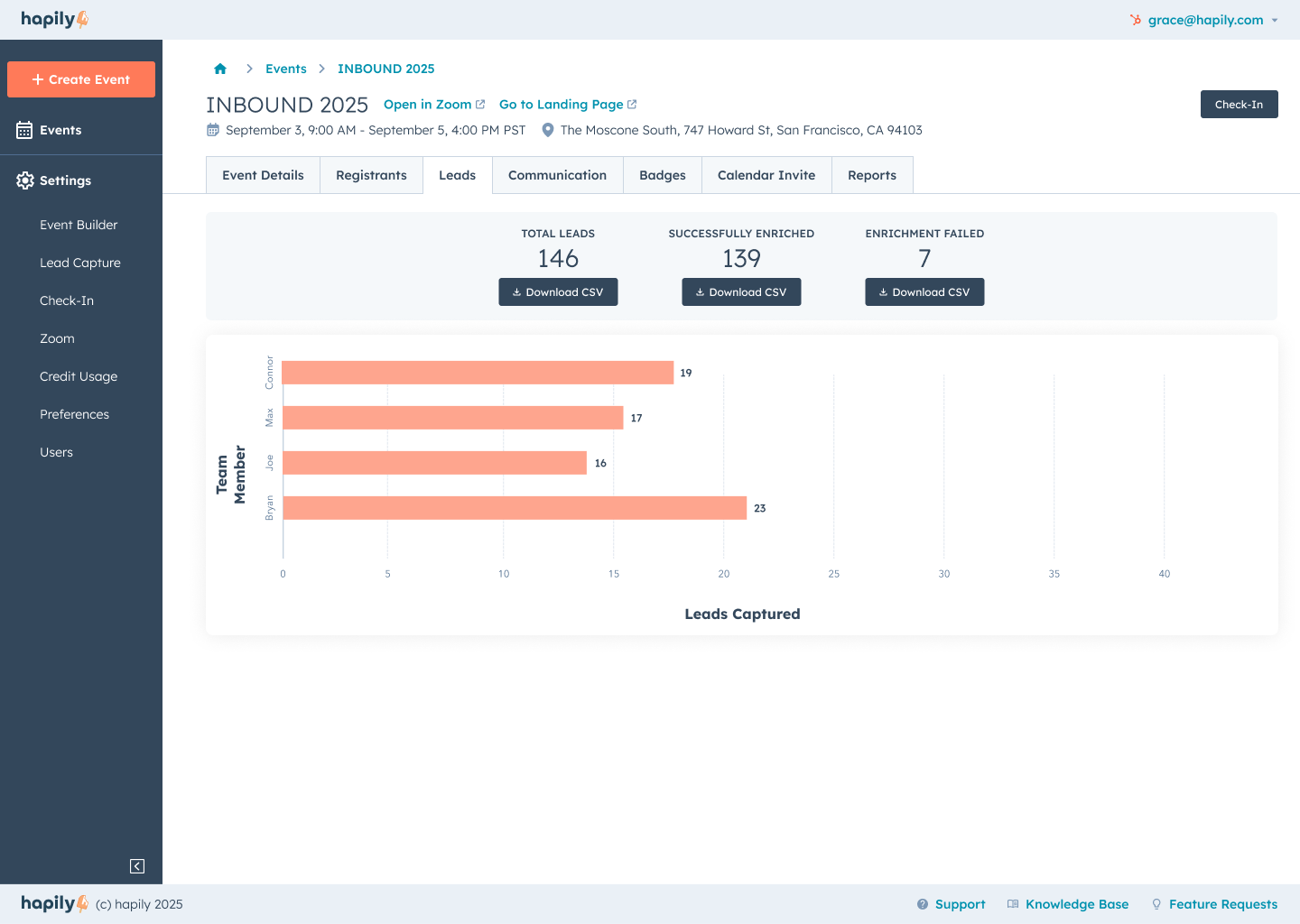
Admins now have access to a centralized Leads view inside hapily, where they can see everything captured across the event — not just what made it into HubSpot.
From this view, you can download:
- All captured leads
- Successfully enriched leads (already in HubSpot)
- Enrichment-failed leads
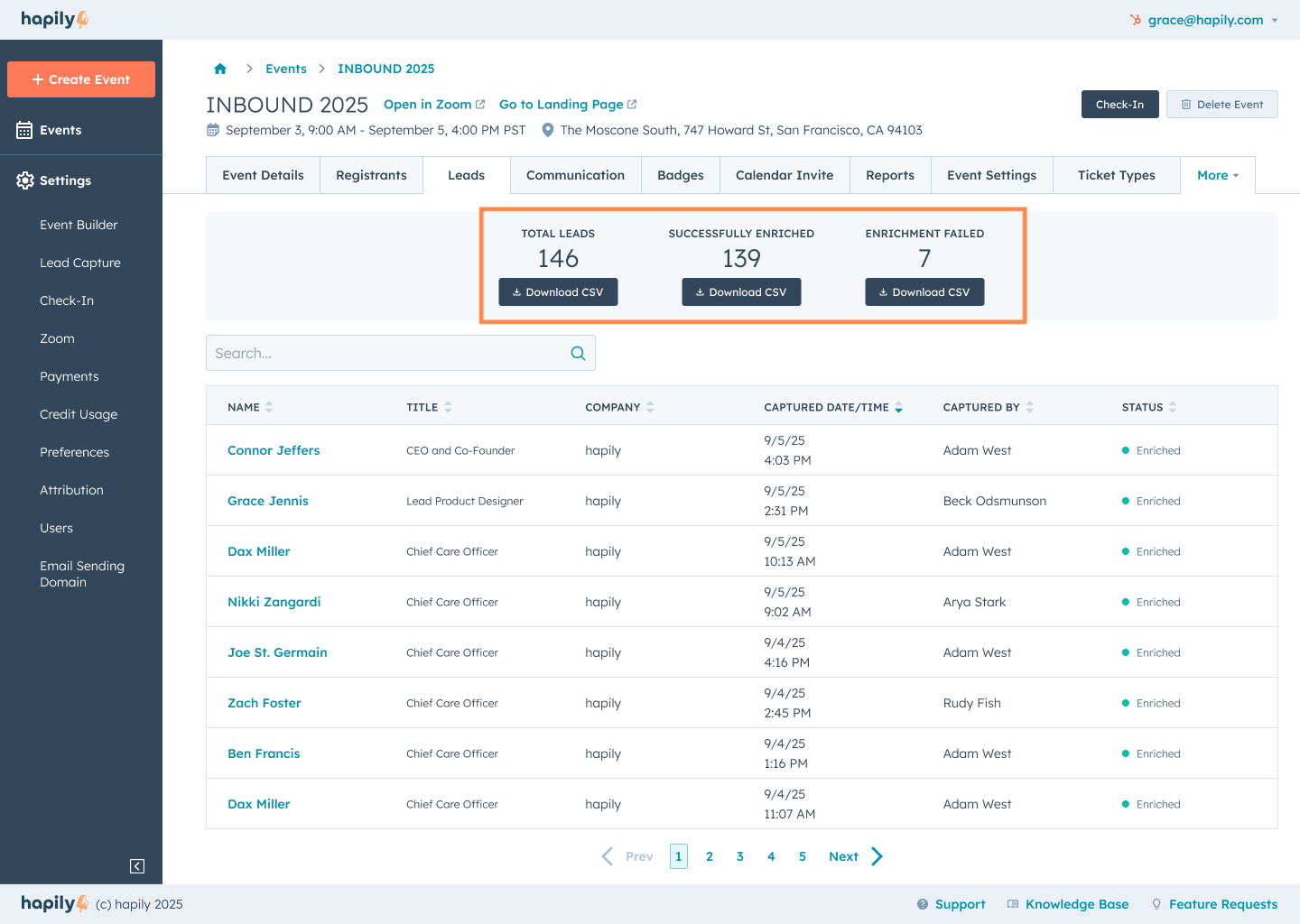
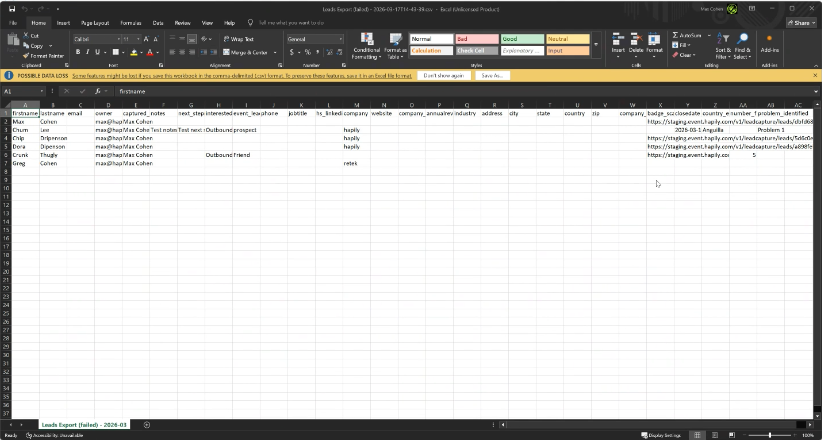
That last category is where this becomes especially valuable. These exports don’t just include partial contact data — they include the full context of the interaction:
- Notes and next steps captured during the conversation
- The rep who captured the lead
- The original badge image
Instead of relying on what successfully synced, you now have a complete dataset to work from.
Clearer paths for leads that don’t enrich
Once you have visibility, the next question is what to do with it.
Leads that didn’t enrich are no longer dead ends or hidden inside the app. They’re separated out and accessible, with enough context to take action.
Admins can:
- Review captured data and validate it against the badge image
- Run additional enrichment using another tool
- Import selected leads into HubSpot manually
- Hold leads out of the CRM if they don’t meet your standards
This creates a clear path forward for every lead, instead of a single outcome.
A more controlled lead capture workflow
Once you can see every lead and understand what actually happened to it, the workflow starts to shift.
You’re no longer relying on everything to come through perfectly or forcing every lead through the same path. Leads that enrich move forward. Leads that don’t are still visible, with the context needed to decide what to do next.
-
Reps can keep capturing without worrying about edge cases in the moment
-
Admins can see what was captured, what enriched, and what didn’t — all in one place
-
Leads that didn’t enrich are still accessible, with full context
-
Admins can review and decide how to handle those leads after the event
The result is a workflow that holds up under real event conditions — fast in the moment, structured afterward, and complete from end to end.
Full visibility. Real control. Nothing left behind.
With issues surfaced earlier, cleaner enrichment rules, and a centralized view of every lead, you’re no longer working off a partial picture of your event.
Your team can move faster in the moment without worrying about getting everything perfect. Admins have a clear way to review and manage what was captured. And your CRM stays clean, without losing visibility into the leads that need a second look.
Everything is accounted for, easy to understand, and ready to act on so the time after your event is spent following up, not figuring things out.
If you want to see how this all comes together, you can watch our recent Product Update webinar where Ben and Max get under the hood and walk through the full updated Mobile Lead Capture experience.
Prepping for your next event? Request a demo to see how hapily helps your team capture better data, move faster on-site, and turn conversations into pipeline without the cleanup afterward.

.png)